Samsung Secret Codes
Samsung
Software version: *#9999#
IMEI number: *#06#
Serial number: *#0001#
Battery status- Memory capacity : *#9998*246#
Debug screen: *#9998*324# - *#8999*324#
LCD kontrast: *#9998*523#
Vibration test: *#9998*842# - *#8999*842#
Alarm beeper - Ringtone test : *#9998*289# - *#8999*289#
Smiley: *#9125#
Software version: *#0837#
Display contrast: *#0523# - *#8999*523#
Battery info: *#0228# or *#8999*228#
Display storage capacity: *#8999*636#
Display SIM card information: *#8999*778#
Show date and alarm clock: *#8999*782#
The display during warning: *#8999*786#
Samsung hardware version: *#8999*837#
Show network information: *#8999*638#
Display received channel number and received intensity: *#8999*9266#
*#1111# S/W Version
*#1234# Firmware Version
*#2222# H/W Version
*#8999*8376263# All Versions Together
*#8999*8378# Test Menu
*#4777*8665# GPSR Tool
*#8999*523# LCD Brightness
*#8999*377# Error LOG Menu
*#8999*327# EEP Menu
*#8999*667# Debug Mode
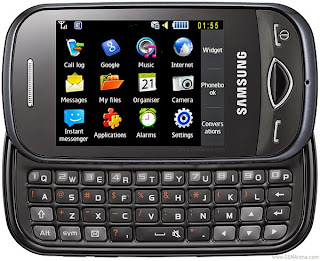
*#92782# PhoneModel (Wap)
#*5737425# JAVA Mode
*#2255# Call List
*#232337# Bluetooth MAC Adress
*#5282837# Java Version
Type in *#0000# on a Samsung A300 to reset the language
Master reset(unlock) #*7337# (for the new samsungs E700 x600 but not E710)
Samsung E700 type *#2255# to show secret call log (not tested)
Samsung A300, A800 phone unlock enter this *2767*637#
Samsung V200, S100, S300 phone unlock : *2767*782257378#
#*4773# Incremental Redundancy
#*7785# Reset wakeup & RTK timer cariables/variables
#*7200# Tone Generator Mute
#*3888# BLUETOOTH Test mode
#*7828# Task screen
#*#8377466# S/W Version & H/W Version
#*2562# Restarts Phone
#*2565# No Blocking? General Defense.
#*3353# General Defense, Code Erased.
#*3837# Phone Hangs on White screen.
#*3849# Restarts Phone
#*7337# Restarts Phone (Resets Wap Settings)
#*2886# AutoAnswer ON/OFF
#*7288# GPRS Detached/Attached
#*7287# GPRS Attached
#*7666# White Screen
#*7693# Sleep Deactivate/Activate
#*2286# Databattery
#*2527# GPRS switching set to (Class 4, 8, 9, 10)
#*2679# Copycat feature Activa/Deactivate
#*3940# External looptest 9600 bps
#*4263# Handsfree mode Activate/Deactivate
#*2558# Time ON
#*3941# External looptest 115200 bps
#*5176# L1 Sleep
#*7462# SIM Phase
#*7983# Voltage/Freq
#*7986# Voltage
#*8466# Old Time
#*2255# Call Failed
#*5376# DELETE ALL SMS!!!!
#*6837# Official Software Version: (0003000016000702)
#*2337# Permanent Registration Beep
#*2474# Charging Duration
#*2834# Audio Path (Handsfree)
#*3270# DCS Support Activate/Deactivate
#*3282# Data Activate/Deactivate
#*3476# EGSM Activate/Deactivate
#*3676# FORMAT FLASH VOLUME!!!
#*4760# GSM Activate/Deactivate
#*4864# White Screen
#*7326# Accessory
#*7683# Sleep variable
#*3797# Blinks 3D030300 in RED
#*7372# Resetting the time to DPB variables
#*3273# EGPRS multislot (Class 4, 8, 9, 10)
#*7722# RLC bitmap compression Activate/Deactivate
#*2351# Blinks 1347E201 in RED
#*2775# Switch to 2 inner speaker
#*7878# FirstStartup (0=NO, 1=YES)
#*3838# Blinks 3D030300 in RED
#*2077# GPRS Switch
#*2027# GPRS Switch
#*0227# GPRS Switch
#*0277# GPRS Switch
#*22671# AMR REC START
#*22672# Stop AMR REC (File name: /a/multimedia/sounds/voice list/ENGMODE.amr)
#*22673# Pause REC
#*22674# Resume REC
#*22675# AMR Playback
#*22676# AMR Stop Play
#*22677# Pause Play
#*22678# Resume Play
#*77261# PCM Rec Req
#*77262# Stop PCM Rec
#*77263# PCM Playback
#*77264# PCM Stop Play
#*22679# AMR Get Time
*#8999*364# Watchdog ON/OFF
*#8999*427# WATCHDOG signal route setup
*2767*3855# = Full Reset (Caution every stored data will be deleted.)
*2767*2878# = Custom Reset
*2767*927# = Wap Reset
*2767*226372# = Camera Reset (deletes photos)
*2767*688# Reset Mobile TV
#7263867# = RAM Dump (On or Off)

 3. Now your Android phone shows ‘Android system Recovery’ Screen.


